HDMI vs USB Microscope for PCB Repair: Which Feed Keeps Up?
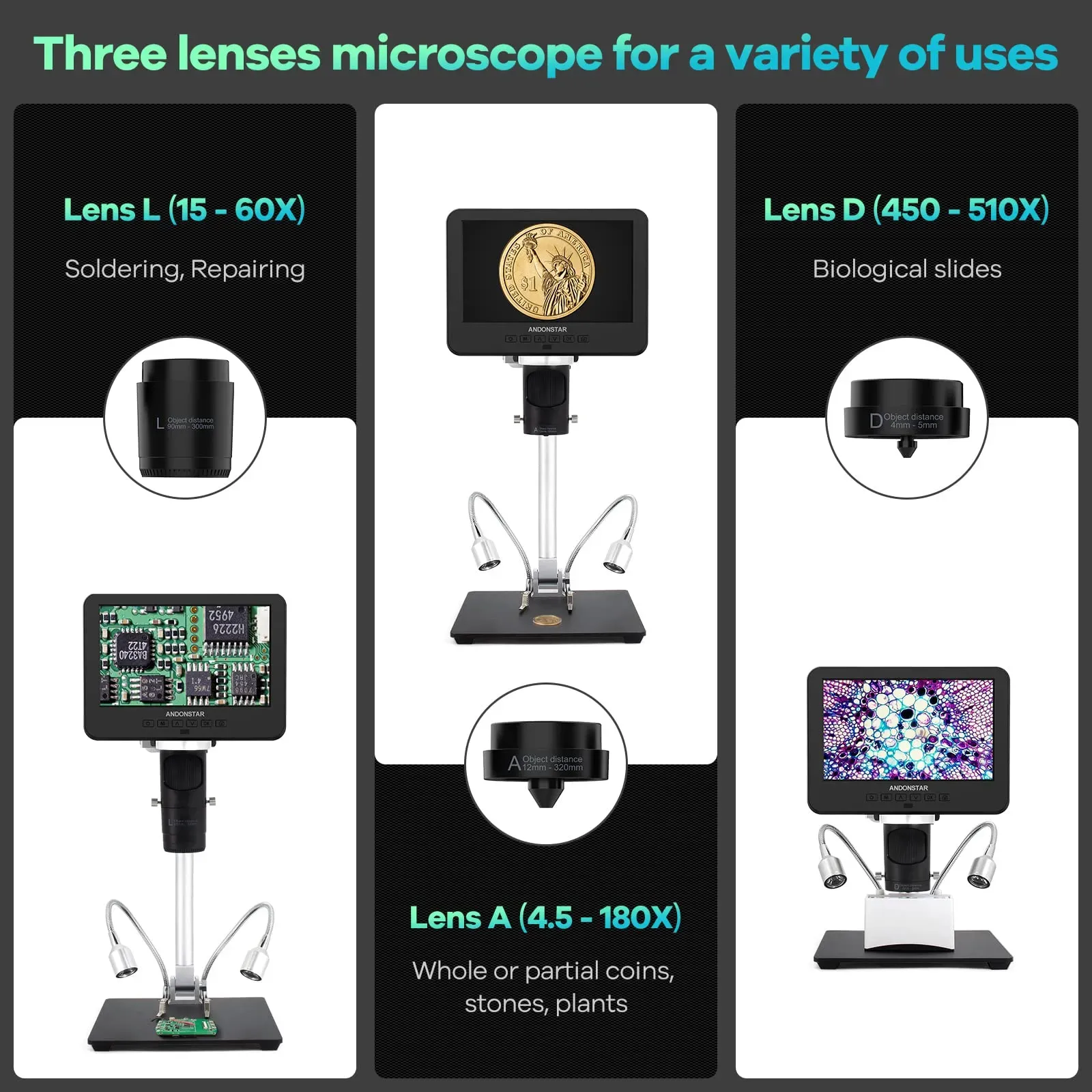
Short answer: for live soldering, HDMI — or the scope's own integrated screen — because the image goes straight to a display without a computer in the path. USB microscopes route the picture through the PC's drivers and software, which can leave the screen a beat behind your hands. USB earns its keep for stills, documentation and archiving to disk, not for holding an iron on a pad.
Why the feed path decides this
Micro-soldering is a closed loop between your eyes and your hands. When the picture is even slightly behind reality, you place the tip where the board was, not where it is — the classic near-miss is dragging a molten joint a fraction too far on a USB-C rework because the frame you reacted to was already stale. Full-time board techs feel this within minutes: a feed that keeps up is the difference between working in rhythm all day and fighting the tools.
Where USB delay comes from
A USB microscope's image travels sensor → USB cable → driver → operating system → application window, and the application then shares the computer with everything else you have open. Each hop adds a little buffering, and the total varies with PC load — which is why the same USB scope can feel fine while idle and mushy mid-job when a browser and an update are competing for the machine. We deliberately quote no millisecond figures here: the honest statement is that the delay is variable, and that variability is itself the problem for hand-eye work.
What HDMI (and integrated screens) do differently
An HDMI output drives the monitor directly from the scope's hardware: no driver stack, no application compositing, no competition from background software. An integrated screen removes even the cable. The result is a picture that tracks your hands closely enough that you stop thinking about the display at all — which is the point. A bench unit like the Andonstar AD246S-M covers both: a 7-inch built-in screen for self-contained work, HDMI out when you want the image larger or at eye level, and USB alongside for getting files off the device.
Frame rate, resolution and the numbers that mislead
Two spec-sheet cautions for this comparison. First, recording resolution is not live behaviour: 2160P UHD recording describes the saved file, while live smoothness depends on the output path — judge them separately. Second, a high-resolution USB stream can actually work against you, because pushing more pixels through the same USB path and PC increases the processing burden. A modest, fluid picture beats a detailed, delayed one for every live task.
Cable runs and bench layout
HDMI runs happily to a monitor mounted where your posture wants it — at eye level, an arm's length away — leaving the bench clear for the iron, hot-air station and tweezers. A USB scope tethers you to a laptop or tower on the bench, which costs exactly the space you needed for tools, and puts the image low and off-axis. If you already feel that in your neck by mid-afternoon, the LCD soldering microscope ergonomics guide covers the posture side properly.
So which should you buy?
- Live soldering, daily rework: HDMI or integrated screen, no contest. Requirements checklist in the electronics repair microscope guide.
- Inspection, stills, condition reports: USB is fine and cheap — its real limits are covered in the USB digital microscope guide.
- Recording tutorials or QC evidence while you work: record onboard, view via HDMI, transfer by USB — the workflow detail is in the Windows 10 setup guide.
Frequently asked questions
Is a USB microscope always laggy?
No — under light PC load with a short cable and a modest resolution, some USB scopes feel responsive. The catch is variability: the delay depends on the computer's driver stack and whatever else it is doing, so the same scope can be fine one hour and behind your hands the next. For live soldering, a path with no computer in it removes the gamble.
Can I use HDMI and USB at the same time on one scope?
On units that offer both, they serve different jobs rather than competing: HDMI drives the live display while USB handles file transfer or PC connectivity. The AD246S-M carries HDMI and USB alongside its integrated screen, so live viewing and getting recordings onto a computer are separate, simultaneous paths.
Do wireless microscopes solve the latency problem?
They move it, and usually make it worse. Wi-Fi adds compression and buffering on top of the processing hops, which is acceptable for casual inspection on a tablet but the opposite of what live soldering needs. Wired HDMI or an integrated screen remains the dependable choice.
Does 2160P recording mean the live feed is 4K?
No. Recording resolution describes the file saved to storage; the live image is defined by the screen or HDMI output path. Judge live behaviour by smoothness and clarity at your working distance, and treat recording specs as a documentation feature.
Ready to try Andnstrhan?
Shop Now — £257.40