Why an LCD Soldering Microscope Saves Your Neck and Eyes
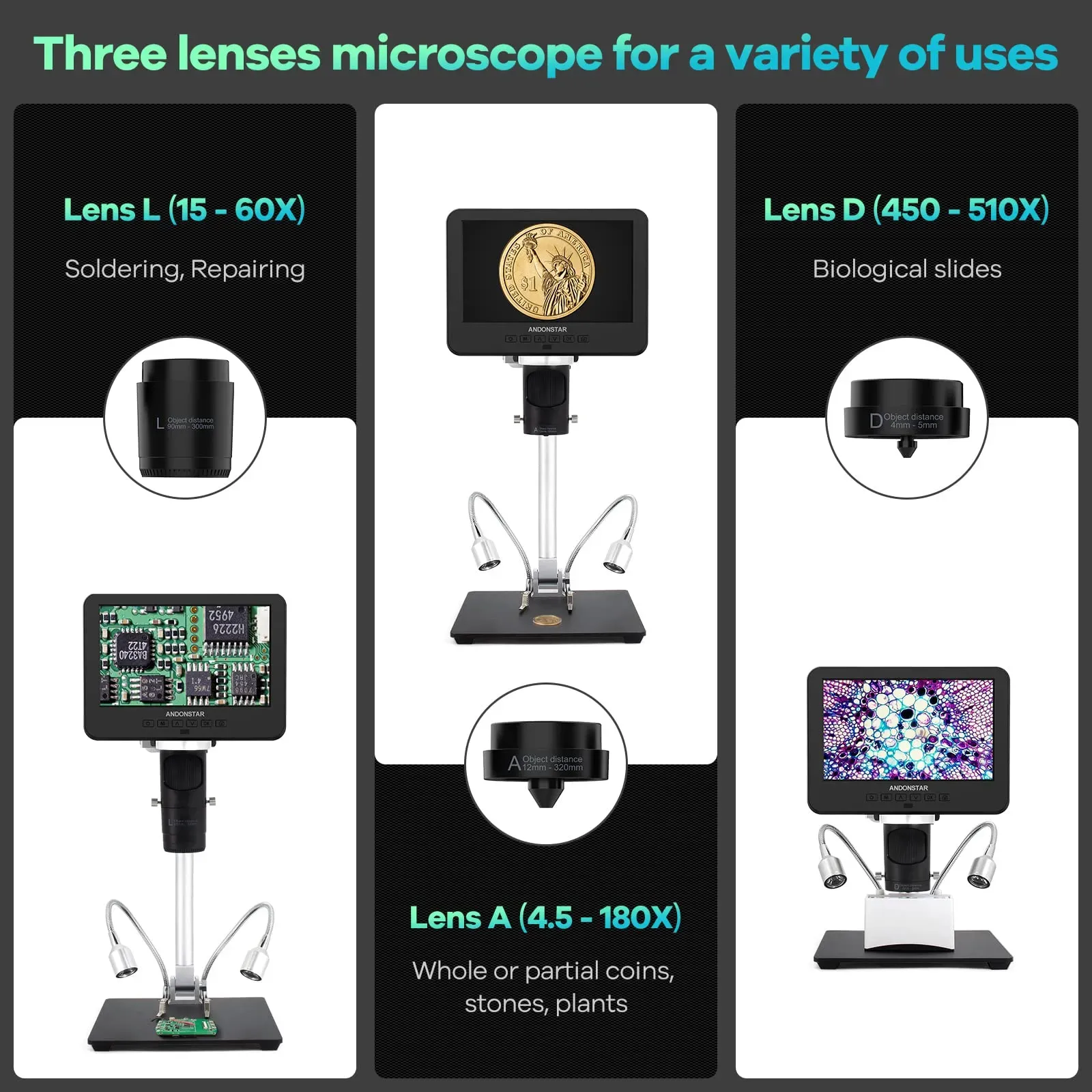
Short answer: an LCD soldering microscope moves the image from eyepieces — or a cramped corner of a laptop screen — onto an upright display you view with a neutral neck. That single change of geometry is why technicians who ache by Friday switch to one. The gains come from screen position and glare control, so this guide is as much about setup as about the scope.
The problem is the posture, not the work
If you spend hours over fine board work, the pattern is familiar: shoulders creeping forward over eyepieces, or head tilted down and sideways at a small USB preview window, then stiffness that starts as an afternoon nuisance and becomes the first thing you notice each morning. Eyes go the same way — by mid-afternoon the fine focus you had at nine o'clock is gone, edges look soft, and you start second-guessing joints you would normally judge at a glance. None of that is a personal failing; it is what sustained neck flexion and close-focus effort do on repeat.
What an upright screen changes, mechanically
With a screen scope you look ahead, not down into optics. Head balanced over shoulders instead of craned; focusing effort at arm's-length distance instead of eyepiece distance; and both eyes on one plane, which spectacle and varifocal wearers usually find far easier than eyepiece work. A 7-inch integrated display like the one on the Andonstar AD246S-M sits directly on the stand at a sensible height; its HDMI output feeds a larger monitor further back when you want the image bigger still — the difference between the two is comfort preference, and the 30-day returns window is long enough to trial the setup through real working weeks rather than a ten-minute demo.
Glare: the eye-strain multiplier nobody adjusts
Shiny solder under a fixed bright LED is a mirror pointed at your eyes, and squinting through it for hours is where a lot of "screen fatigue" actually comes from. Use the adjustable LED brightness deliberately: dial it down for reflective HASL boards until joints show contrast rather than sparkle, and back up for dull, fluxy work. Ten seconds of adjustment per board, and the difference by end of day is real.
Bench setup checklist
- Screen top at or just below eye level — raise the scope on a platform or use the HDMI monitor if the stand cannot get there.
- Viewing distance around arm's length; closer re-imports the close-focus strain you were escaping.
- Chair and elbows: forearms supported for tool stability, seat height so the screen rule above holds.
- Working distance under the lens set per task so you are not stooping to check tool clearance — the height-per-lens routine is in the working distance guide.
- Breaks that actually happen: look across the room regularly; distance focus is recovery for close-work eyes.
Honest limits
A screen is not depth perception: stereo eyepiece microscopes still give true binocular 3D that some fine rework benefits from, and there is an adaptation period — typically days — while your hands calibrate to working off a flat image. Persistent eye trouble deserves an optician rather than another gadget, and no display fixes a chair set wrong. What the LCD route removes is the sustained hunch, which for most aching technicians is the bulk of the problem. If you are weighing a full purchase decision beyond ergonomics, the soldering microscope buying guide covers the rest.
Frequently asked questions
Is a 7-inch screen big enough, or should I use an external monitor?
Both work; the geometry is what matters. A 7-inch integrated screen at the right height suits most bench work and keeps the setup self-contained. If you prefer the image larger or need it further away, run HDMI to a monitor at eye level. Many technicians use the built-in screen for quick jobs and the big monitor for long sessions.
Will a screen microscope feel strange after stereo eyepieces?
For a few days, usually. You lose true binocular depth perception and your hands recalibrate to judging height from focus and shadow instead. Most people adapt within a week of normal work; the trade is flat-image working for an upright neck, and for long sessions that trade generally pays.
Does an LCD scope help if I wear glasses or varifocals?
Typically yes — this is one of the strongest practical cases for a screen. Eyepieces force a specific eye relief that fights many prescriptions, while an upright screen at arm's length is ordinary distance viewing that varifocal wearers already handle all day.
My eyes still tire on a screen scope — what should I check first?
LED brightness against glare, screen height, and viewing distance, in that order. A too-bright LED on shiny solder is the most common culprit and takes seconds to fix. If fatigue persists after the setup is right, book an eye test — a scope cannot correct an outdated prescription.
Ready to try Andnstrhan?
Shop Now — £257.40